
Download LinkedCRM AI – AI‑Powered Lead Generation Tool for LinkedIn
Overview
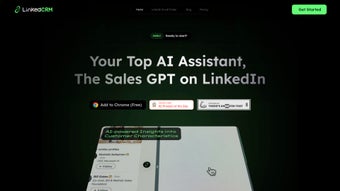
LinkedCRM AI is a web‑based AI writing assistant specifically engineered to supercharge lead generation on LinkedIn. Built around a robust Chrome extension, the platform automates the discovery and enrichment of email contacts, turning a time‑consuming manual hunt into a single‑click operation. With a reported accuracy of 98 %, the tool reliably extracts verified email addresses and synchronizes them with popular CRM systems such as Salesforce, HubSpot, and Zoho.
Whether you are a recruiter chasing talent pipelines, a sales manager hunting high‑value accounts, or a B2B marketer looking to scale outreach, LinkedCRM AI offers a streamlined workflow that reduces friction and maximizes conversion potential. The solution comes in flexible subscription tiers—from a free plan that provides limited daily discoveries to an unlimited plan designed for power users handling thousands of leads per month. While the product excels in speed, accuracy, and integration depth, it is currently limited to Chrome browsers, offers no offline mode, and supports only English.
Nonetheless, for sales professionals who live inside the LinkedIn ecosystem, LinkedCRM AI stands out as a secure, up‑to‑date, and productivity‑focused companion.
Key Features & Benefits
- One‑Click Email Discovery: Instantly reveal verified email addresses for any LinkedIn profile with a single button press.
- Automated Lead Lists: Generate dynamic lead lists based on custom filters such as industry, seniority, and geography.
- CRM Sync Integration: Seamlessly push contacts to Salesforce, HubSpot, Zoho, and other major CRMs without manual export.
- High Accuracy Engine: Powered by proprietary AI models delivering a 98 % success rate on email validation.
- Insightful Relationship Dashboard: Visualize connection depth, interaction history, and engagement scores for each prospect.
- Flexible Subscription Plans: Free tier for occasional users, professional tier for moderate volume, and unlimited tier for enterprise‑scale operations.
- Secure Data Handling: End‑to‑end encryption ensures that lead data is stored and transferred safely, complying with GDPR standards.
- Regular Updates & Support: Monthly feature releases and a responsive help center keep the tool current and reliable.
The practical benefits of these features translate into measurable ROI for sales teams. By automating the email‑finding step, users can cut prospecting time by up to 70 %, allowing more focus on personalized outreach and relationship building. The built‑in CRM sync eliminates duplicate data entry, reducing human error and ensuring that every lead is captured in the sales funnel. Moreover, the relationship dashboard gives managers a macro view of team performance, enabling data‑driven coaching and target setting. For organizations that rely heavily on LinkedIn as a primary sourcing channel, LinkedCRM AI not only speeds up the workflow but also enhances the quality of the contact database, leading to higher reply rates and shorter sales cycles.
Installation, Usage & Compatibility
Step‑by‑Step Installation
- Visit the official LinkedCRM AI website and click the Download Chrome Extension button.
- Chrome Web Store will open; press Add to Chrome and confirm the permissions request.
- Once installed, a small LinkedCRM AI icon appears next to the address bar.
- Log in with your LinkedCRM AI credentials or sign up using Google OAuth for instant access.
- Navigate to LinkedIn, open any profile, and click the extension icon to reveal the Find Email button.
Using the Tool Effectively
After installation, the workflow is intuitive. While browsing LinkedIn, select the prospects you want to target, then click the extension’s “Discover Email” button. The AI instantly scans public data, cross‑references corporate domains, and returns the most likely email address, highlighted in green if confidence exceeds 90 %. You can immediately add the contact to a lead list, tag it with custom labels (e.g., “Hot Lead,” “Follow‑Up”), and push it to your connected CRM with a single click. For bulk operations, the “Generate List” feature allows you to input search criteria (industry, location, title) and retrieve up to 200 contacts per batch, which can be exported as CSV or directly synced.
System Requirements & Operating System Support
LinkedCRM AI is a cloud‑based service accessed through a Chrome extension, so the primary requirement is the Google Chrome browser (version 90 or later). The extension runs on Windows 10/11, macOS Monterey and later, as well as Chrome OS. Because the platform is web‑based, no additional software installation is needed on the operating system itself. Mobile users can still benefit from the web dashboard on Android or iOS devices via a standard browser, though the email‑discovery button is unavailable outside the desktop Chrome environment.
Security‑focused organizations will appreciate that all data transmission between the extension and LinkedCRM AI’s servers is encrypted with TLS 1.3, and stored data adheres to GDPR and CCPA guidelines. Regular updates are pushed automatically through the Chrome Web Store, ensuring users always have the latest AI models and bug fixes without manual intervention.
Pros, Cons & Frequently Asked Questions
Pros
- Fast, one‑click email discovery saves hours of manual research.
- High 98 % accuracy reduces bounce rates and protects sender reputation.
- Seamless integration with leading CRMs eliminates duplicate data entry.
- Customizable lead lists support targeted outreach campaigns.
- Secure, GDPR‑compliant handling of personal data.
- Free tier available for low‑volume users.
Cons
- Only works with Google Chrome; no Firefox or Edge extension.
- No offline mode; internet connection required at all times.
- Limited to English; multi‑language support is not yet offered.
- Higher‑volume plans can be pricey for small businesses.
FAQ – Your Questions Answered
How accurate is LinkedCRM AI’s email discovery?
LinkedCRM AI uses proprietary AI algorithms combined with domain verification techniques, achieving an industry‑leading 98 % accuracy rate on verified email addresses.
Can I sync LinkedCRM AI with multiple CRMs?
Yes. The platform offers native integrations with Salesforce, HubSpot, Zoho CRM, and Microsoft Dynamics. You can also use Zapier to connect with other systems.
Is there a free version available?
A free plan is offered with a limit of 50 email discoveries per month and basic list creation features. It’s ideal for freelancers or small teams testing the tool.
What browsers are supported?
Currently, the extension is available only for Google Chrome (desktop). A Chrome‑based Edge browser also works, but Firefox and Safari are not supported.
How does LinkedCRM AI protect my data?
All data is transmitted over TLS 1.3, stored in encrypted databases, and processed in compliance with GDPR and CCPA. Users can also delete contacts permanently from the dashboard at any time.
Review Summary
Rating: 4.5/5
Pros: Speed, accuracy, CRM sync, security.
Cons: Chrome‑only, no offline mode, limited language support.
Conclusion & Call to Action
In the fast‑paced world of B2B sales, every second saved on prospect research translates into more conversations and higher revenue. LinkedCRM AI delivers a compelling blend of AI‑driven accuracy, seamless CRM integration, and a user‑friendly Chrome extension that makes lead generation on LinkedIn both fast and reliable. While the Chrome‑only limitation and lack of offline capabilities may be a drawback for some, the tool’s core strengths—high precision, secure handling of data, and flexible pricing—make it a worthy addition to any sales stack. Whether you’re a recruiter looking to enrich talent pipelines or a sales manager hunting enterprise accounts, LinkedCRM AI equips you with the data you need to personalize outreach and close deals faster.
Ready to transform your LinkedIn prospecting? Download LinkedCRM AI now, start with the free plan, and experience the boost in productivity for yourself. For teams that need unlimited discoveries, upgrade to the premium tier to unlock the full potential of AI‑enhanced lead generation.



.png)



